
What Does "Awaiting Fulfillment" Mean? Order Status Explained
"Awaiting fulfillment" means the money is taken and the box is not. The payment cleared, the order is logged in the system, and the warehouse knows about it — but no hands have touched it yet. Nothing is broken. The order is sitting in a queue waiting for a picker to pull it off a shelf.
That is the whole status in one sentence. The rest of this article is about what the status is not, what each platform means by it, and the three things that make it last longer than it should.
Where it sits in the journey
Every online order moves through the same rough steps, even if the labels differ.
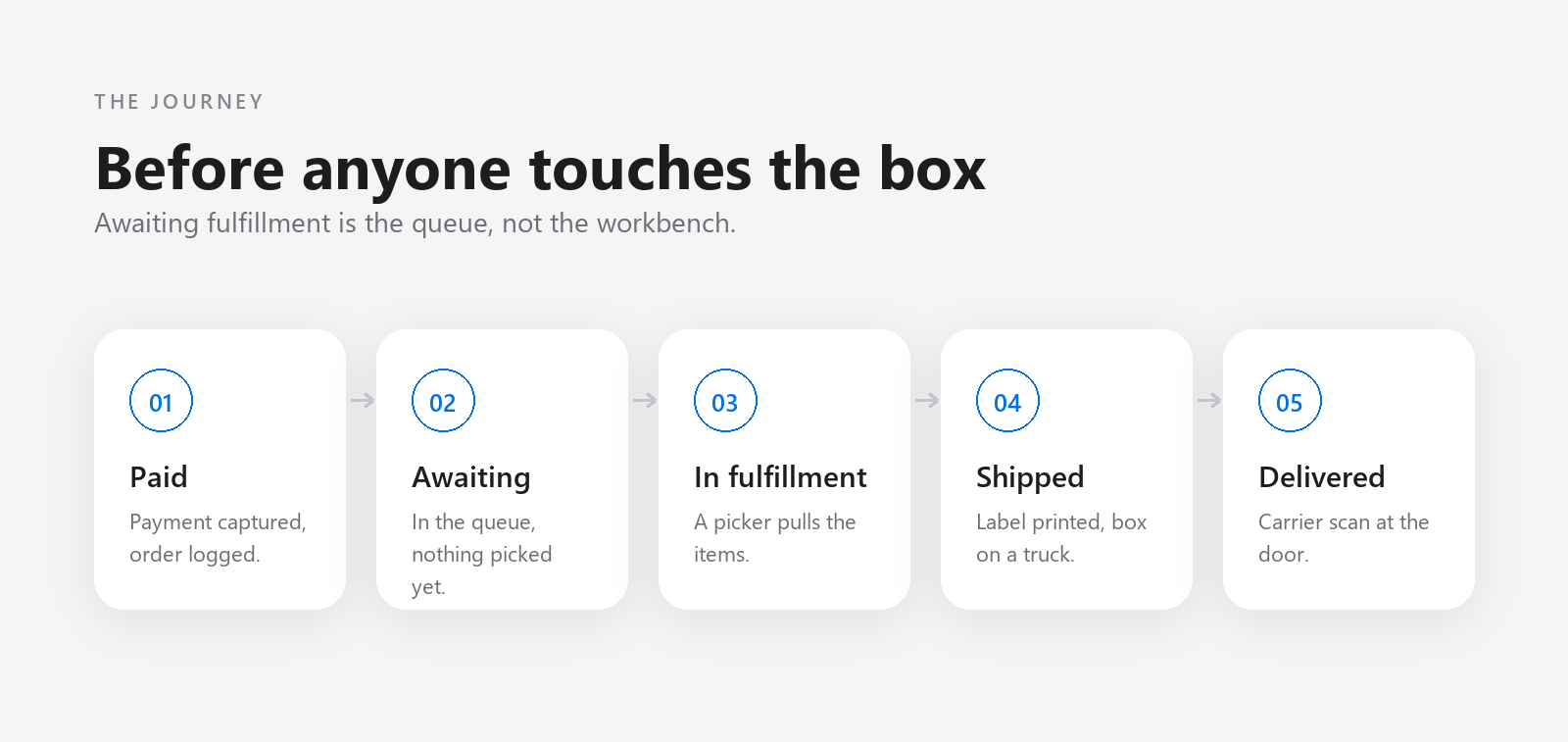
Submitted, then payment captured, then awaiting fulfillment — the order is real, the money cleared, and the warehouse system knows about it. Next is in fulfillment, when a picker is actually pulling the items. Then shipped, when a label exists and the box is on a truck. Then delivered.
"Awaiting fulfillment" is the step before the hands touch anything. It is the inbox, not the workbench.
It is not pending, and it is not processing
These statuses look similar in a customer dashboard and mean different things. The confusion is expensive, because customers read the wrong one and assume the wrong thing.
| Status | What it actually means | Who owns the next action |
|---|---|---|
| Pending | Payment not confirmed, or the order not yet accepted | Buyer, bank, or a risk check |
| Awaiting fulfillment | Paid and logged; nothing picked or packed | Warehouse |
| Processing | A broader pre-ship step, paid and being worked | Warehouse |
| On hold | Something flagged — address, payment or inventory | The merchant, to release it |
| Awaiting shipment | Packed and labeled, waiting for the carrier | The carrier, to collect |
The one that needs the customer's attention is on hold, not awaiting fulfillment. "Awaiting fulfillment" needs nothing from the buyer.
The same status, on three platforms
The platforms do not share a vocabulary. The same physical moment wears a different name on each.
Shopify tracks fulfillment at the item level — unfulfilled, partially fulfilled, fulfilled. "Awaiting fulfillment" in the Shopify world is usually just "unfulfilled": paid, not yet picked. Shopify has no "delivered" status; once the parcel is with the carrier, the status stops moving.
Amazon's seller-side lifecycle reads pending, unshipped, partially shipped, shipped. Pending is the important word there: it usually means payment is not authorised or something in the order is incomplete — not that the system is still thinking. Unshipped means the order is ready but nothing has gone out.
WooCommerce keeps it blunt: pending payment, then processing once money arrives and stock is reduced, then completed, which the store owner sets by hand. In WooCommerce, "processing" is the awaiting-fulfillment moment.
BigCommerce is one of the platforms that uses the literal label "Awaiting Fulfillment" as an order status. The takeaway is not to memorise every name — it is that the names drift, so always read them against the current help docs of the platform in question.
The practical cost of the drift shows up in support. A customer on Shopify reads "unfulfilled" and a customer on WooCommerce reads "processing," and both are looking at the same physical moment. A support agent who answers with one platform's vocabulary while the customer is looking at another's is the most common reason a simple question turns into a three-message exchange. When you write the status into a macro or a help article, name the platform you mean.
What the customer sees
The customer sees a status, an order number, and — this is the part worth knowing — no tracking number yet.
A tracking number is only generated when the shipping label is created, and that happens after fulfillment begins. So "awaiting fulfillment" always comes before the tracking number exists. USPS names the next gap precisely: "Shipping Label Created, USPS Awaiting Item" means a label exists and the package has not been handed to the carrier. The customer who refreshes the page during awaiting fulfillment is refreshing nothing that can move.
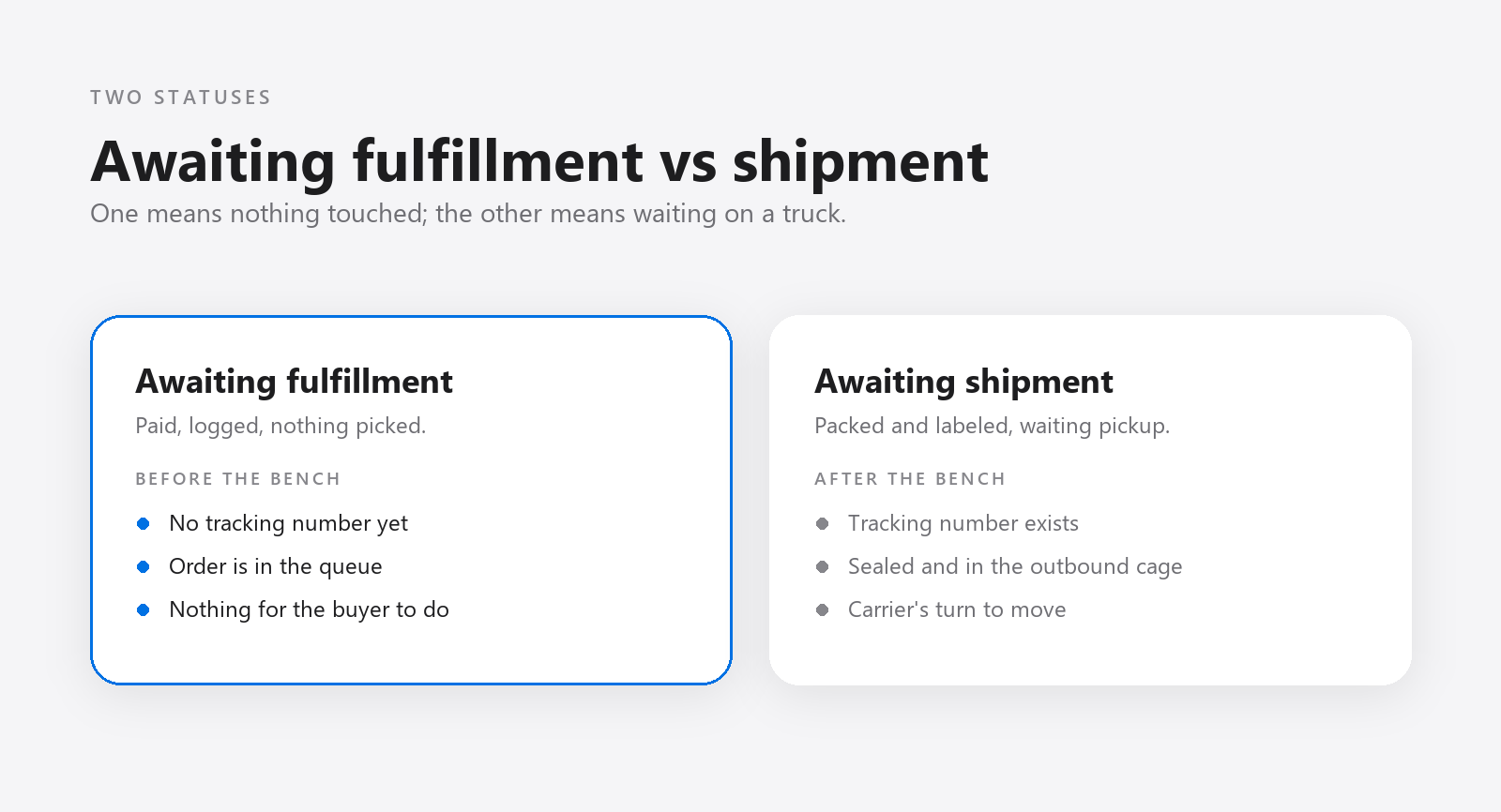
That is also where it parts ways with its near-twin, "awaiting shipment." Awaiting fulfillment means nothing has been touched; awaiting shipment means the parcel is sealed, labeled, and sitting in the outbound cage waiting on a truck. One is your problem, the other is the carrier's.
Three reasons it sits too long
Most orders clear awaiting fulfillment in hours, or within a business day. When one sits for two, three, five business days, the cause is almost always one of three things.
The first is an inventory gap. The system believes stock exists and it does not — a miscount, a unit sold on another channel that never synced, or stock still sitting in receiving as zero available. The order cannot be picked, so it waits.
The second is a risk hold. A high-value order, a mismatched address, or an unusual payment pattern trips a fraud or verification review, and the order parks until a human clears it. This one does not resolve itself; it needs attention.
The third is a labor bottleneck. A launch or a sale puts a week of volume into two days, the picking stations fill up, and the queue stretches past same-day. This is capacity, not a bug — the fix is staff or batching, not patience.
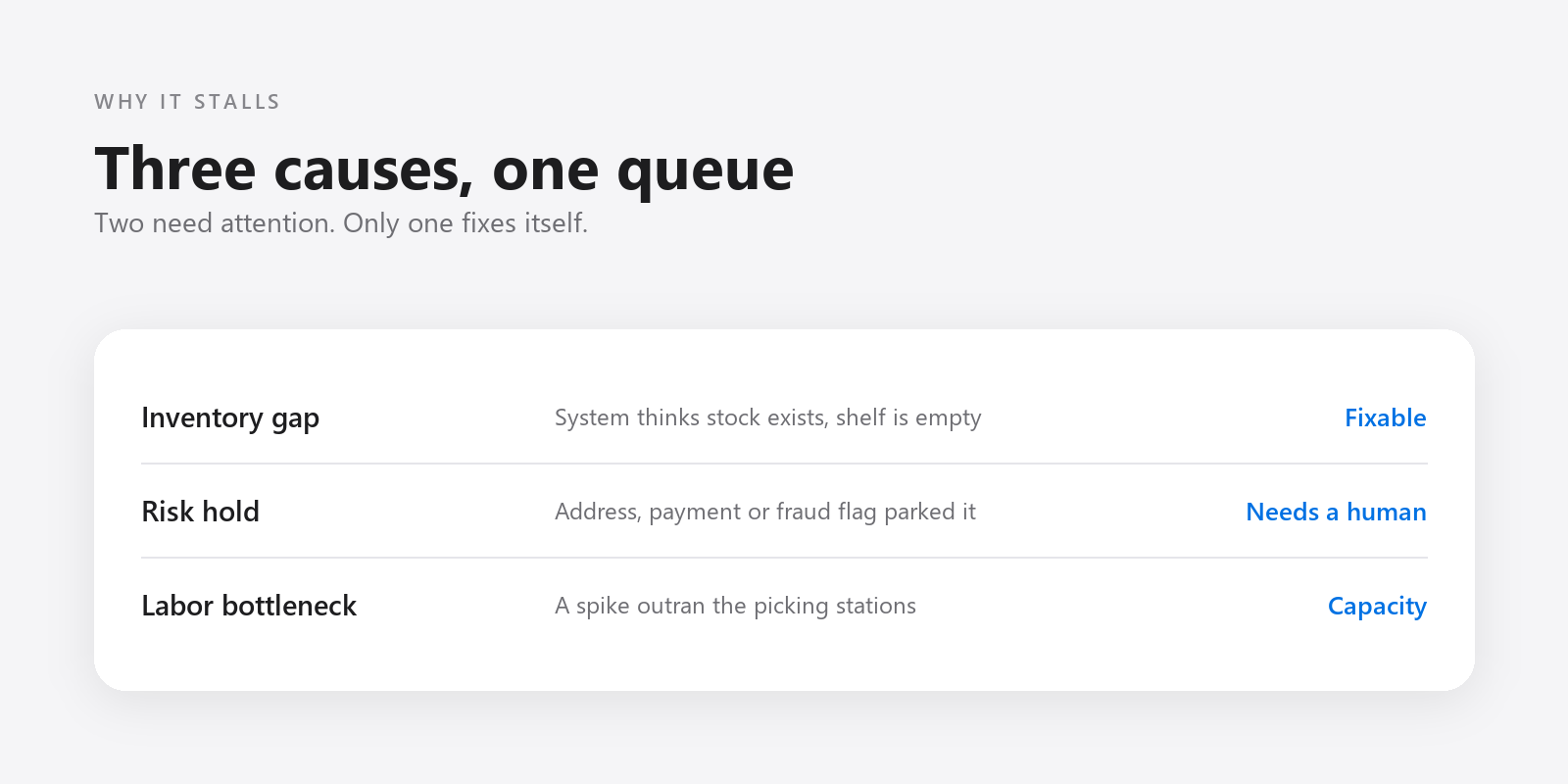
The three need different responses, and confusing them is how a fixable day becomes a lost customer. An inventory gap is a data problem: reconcile the count and the order moves. A risk hold is a decision problem: a person has to release it. A labor bottleneck is a capacity problem: no amount of checking resolves it, only staff or batching does.
A diagnostic order for merchants
When your own awaiting-fulfillment queue is growing faster than the team drains it, run four checks in order, and stop at the first one that is wrong.
Confirm payment is captured, not just authorised. Verify the SKU exists in the active location, not just in the catalog. Check the sync logs between the store, the system and the warehouse — a single missing field like a shipping method can freeze a batch. And look for holds: anything flagged for review sits until a person touches it.
The queue itself is a signal. If it is growing on a normal day, you have a process problem. If it only spikes during a launch, you have a capacity problem. The fix is different for each.
How long is too long
For the customer, two full business days is the line. Most orders move to shipped within one business day; two days of stillness usually means a backlog or a flag. Past that, a direct question is reasonable — and the question to ask is specific: is the order in fulfillment or held, and if held, why and when does it release. "It's processing" is not an answer.
One thing is worth doing before you write that message: check the estimated shipping window the store gave you at checkout. That window, not the status label, is the promise. If you are still inside it, the order is behaving exactly as sold.
The short version
Awaiting fulfillment is a normal, brief state: paid, logged, not yet touched. It is not pending, not on hold, and it does not mean anything is lost. If it drags past two business days, the cause is usually an inventory gap, a risk hold, or a labor bottleneck — and only one of those fixes itself.
If your own queue keeps outrunning your team, send us your order volume, your SKU count and your current cutoff — we will tell you which of the three causes you are hitting before we talk about pricing.
References (Neutral Third-Party Sources)
- Shopify Help Center — Understanding your order statuses: how fulfillment status is tracked at item level, and where the platform's status labels stop. https://help.shopify.com/en/manual/orders/manage-orders/order-status
- WooCommerce — Order Statuses: processing means paid and awaiting fulfillment; completed is set manually after dispatch. https://woocommerce.com/document/managing-orders/order-statuses
- Amazon Selling Partner API — searchOrders: the definitions of pending, unshipped, partially shipped and shipped used across seller systems. https://developer-docs.amazon.com/sp-api/reference/searchorders
- USPS — Where is my package? Tracking Status Help: "Shipping Label Created, USPS Awaiting Item" means the package has not been given to USPS. https://faq.usps.com/articles/Knowledge/Where-is-my-package
- Federal Trade Commission — Mail, Internet, or Telephone Order Merchandise Rule: the 30-day shipping baseline and the duty to notify buyers of delay. https://www.ftc.gov/business-guidance/resources/business-guide-ftcs-mail-internet-or-telephone-order-merchandise-rule