
Indiegogo Fulfillment: How to Deliver Perks After Your Campaign
Indiegogo fulfillment is two jobs, not one. First you collect addresses and shipping money in the Pledge Manager and close the order file; then you release that file in waves using Shipping Stages. Five thousand parcels is not five thousand checkouts — it is one production run that has to be cut into shippable batches and then closed off.
Most campaigns that lose money on this don't lose it in the factory. They lose it in three places: the shipping rate sits on the perk and cannot be quietly raised once people have claimed it, a stage status change cannot be undone, and the late-pledge window keeps adding orders after you thought the list was final.
Here is how each of those works, and what to do about it before the container lands.
What Indiegogo gives you that other platforms don't
Indiegogo builds the post-campaign tooling into the platform. The Pledge Manager collects addresses, shipping payments and add-ons; Shipping Stages split one project into several shipments; Late Pledges (the feature formerly called InDemand) keeps taking orders after the campaign page stops being a campaign.
That matters because the riskiest part of a crowdfunding fulfillment job is not packing. It is the handoff — backer data moving from a platform, to a spreadsheet, to a warehouse, to a carrier. Every handoff is a chance to lose a column. When the collection and the lock happen in the same system, you skip two of those handoffs.
You also inherit the platform's hard edges. The same design that keeps data clean is unforgiving when you get a setting wrong.
Indiegogo and Kickstarter don't fail the same way
Creators compare the two platforms on fees and traffic. For fulfillment, the difference that matters is where the order data lives.
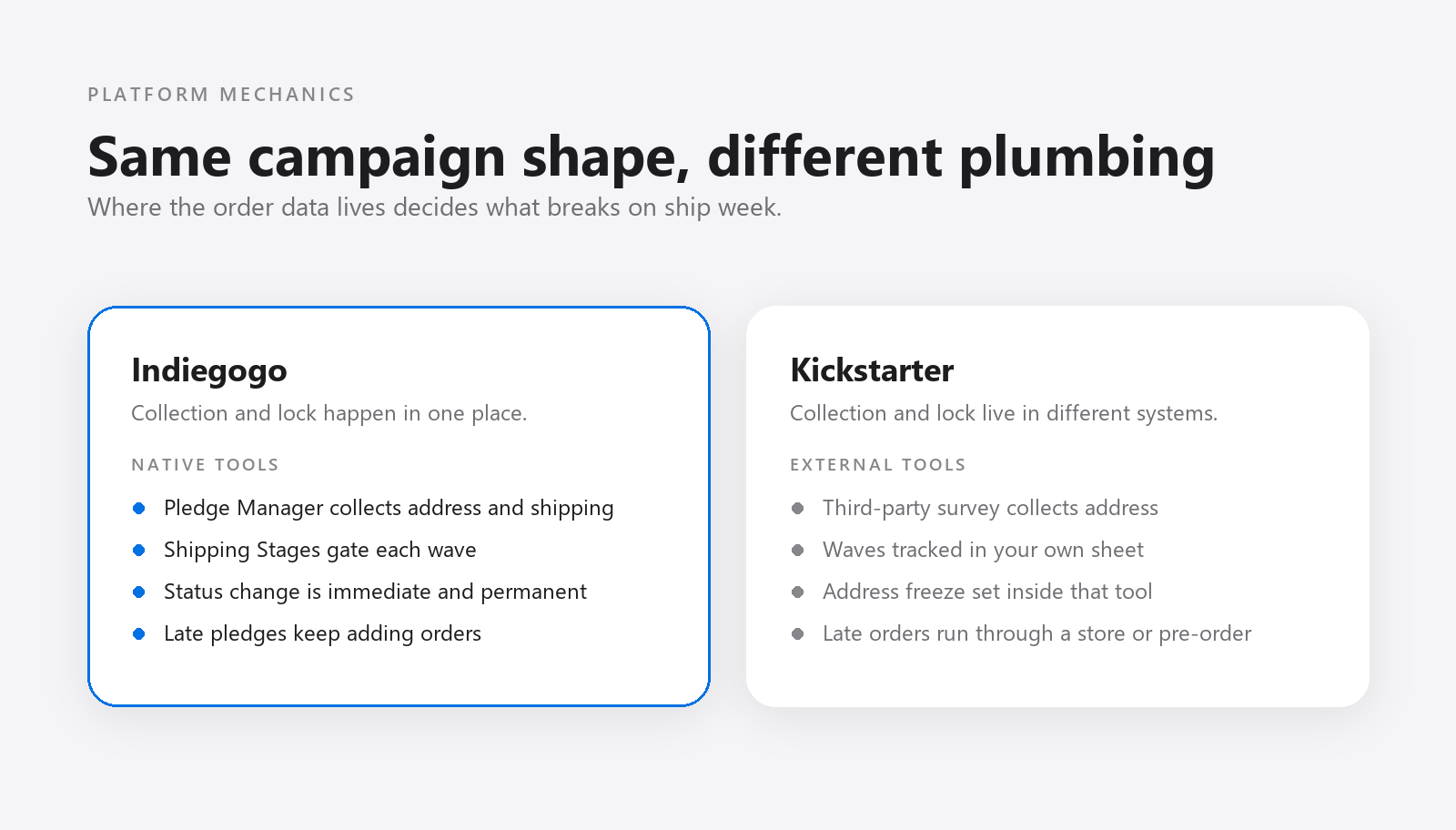
On Kickstarter, address collection and add-ons usually run through a separate pledge manager, and the wave logic lives in your own spreadsheet. On Indiegogo, both are native. The practical consequences line up like this:
| Question | Indiegogo | Kickstarter |
|---|---|---|
| Where addresses are collected | Pledge Manager, built in | Separate survey tool, then export |
| Wave shipping | Shipping Stages with status gating | Manual batching, tracked off-platform |
| Shipping price set at | Perk / model level | Pledge manager level |
| Address freeze | Order status ready for shipping | Survey lock inside the third-party tool |
| Late orders after campaign | Late Pledges, automatic, opt-out available | Pledge manager pre-order or a separate store |
| Main failure mode | Locking a stage too early, unpicking it by hand | Losing columns between two systems |
Neither is better. If you already run a third-party pledge manager, Indiegogo's native tools will feel restrictive on day one and reassuring on day twelve.
The shipping rate is frozen the moment a perk is claimed
This is the part that quietly eats campaign budgets. Shipping is priced at the perk level, by destination — a worldwide rate, a regional rate such as the EU, and single-country rates where you need them. A narrower rate beats a broader one: set the EU at $20 and Italy at $10, and an Italian backer pays $10.
Once backers have claimed a perk, you can't walk back into it and add four dollars to the shipping line. That number travels with the perk for the rest of the project.
So the pricing happens in three passes, not one:
- Fix the shipping structure before you fill in numbers. Six buckets is the practical floor: US, EU, UK, Canada, Australia, rest of world. Then pick out the destinations that look like they belong to a bucket but don't — Alaska, Hawaii, Puerto Rico, Norway, Switzerland. Those need their own rate, not a guess inside a regional average.
- Price from the final carton, then add 15–20%. Not from the prototype. Dimensional weight means a box that grows half an inch in each direction can jump a billing band, and that jump is permanent once your rate is set.
- State whether the rate includes duty. Delivered-duty-paid and duty-unpaid are different products with different support loads. Pick one per market and say so on the perk.
Charging the difference later means reopening the Pledge Manager and asking backers for money they thought they had already paid. Some will pay. The reviews are written by the ones who don't.
Build one clean order file, in this order
The lock is a sequence, and the sequence is not optional. Run these steps out of order and you finish with a list of orders you have to fix by hand.
| Step | What you do | What it prevents |
|---|---|---|
| 1. Survey | Collect address and perk options; send one reminder | Stale addresses from six months ago |
| 2. Shipping-only mode | Let backers edit address and pay shipping, nothing else | Last-minute product changes after production |
| 3. Soft close | Stop new orders and edits | Keeps a reopen path when something is wrong |
| 4. Hard close | Close the Pledge Manager permanently | Silent edits after the pick list is built |
| 5. Ready for shipping | Mark the wave, hand the file to the warehouse | Backers changing address on packed parcels |
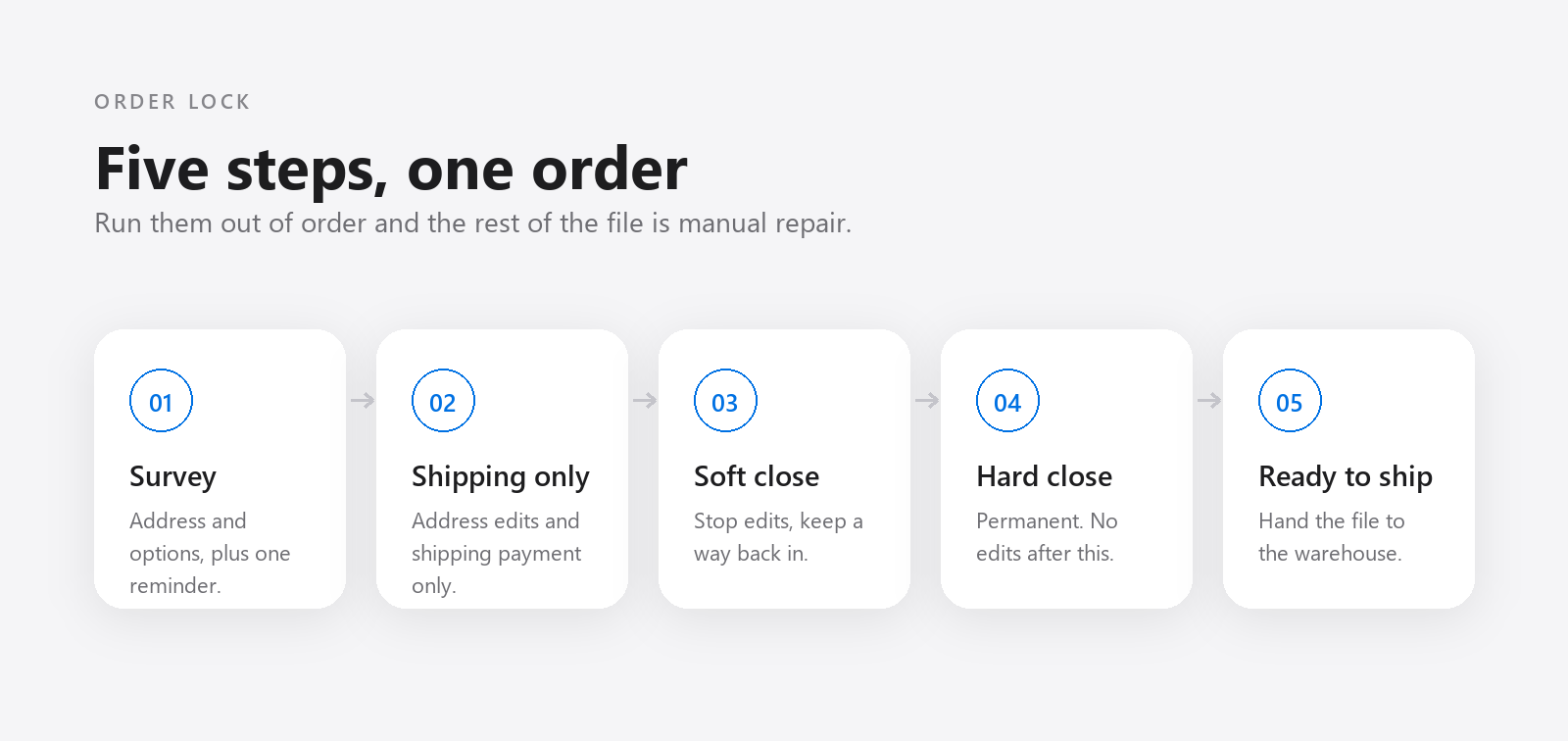
Two details inside that table are easy to miss.
Shipping-only mode is not a close. Backers can still fix an address and pay what they owe on shipping, and you still want that — a wrong address caught here costs nothing, and the same address caught after dispatch costs a reship.
There is also a separate toggle that lets backers add items while orders sit in the "preparing for shipping" stage. Leave it on and you will be buying long-tail inventory you didn't plan for. Turn it off and you will be answering "can I add the second colorway" for a week. Decide deliberately, and put the answer in your next backer update rather than in a support inbox.
Split the run with stages, not with willpower
Shipping Stages are optional. If everything ships at once, you don't need them. Almost nothing ships at once: stretch goals, localized manuals, bonus items and re-runs all arrive later than the main unit.
A stage carries a description and an estimated shipping date, and backers see both at checkout. You assign products to each stage, flag the last one as final, and link the stages to a shipping model so the model only offers what that wave contains.
The status is the part that bites. There are three states, and each one changes what new orders can buy:
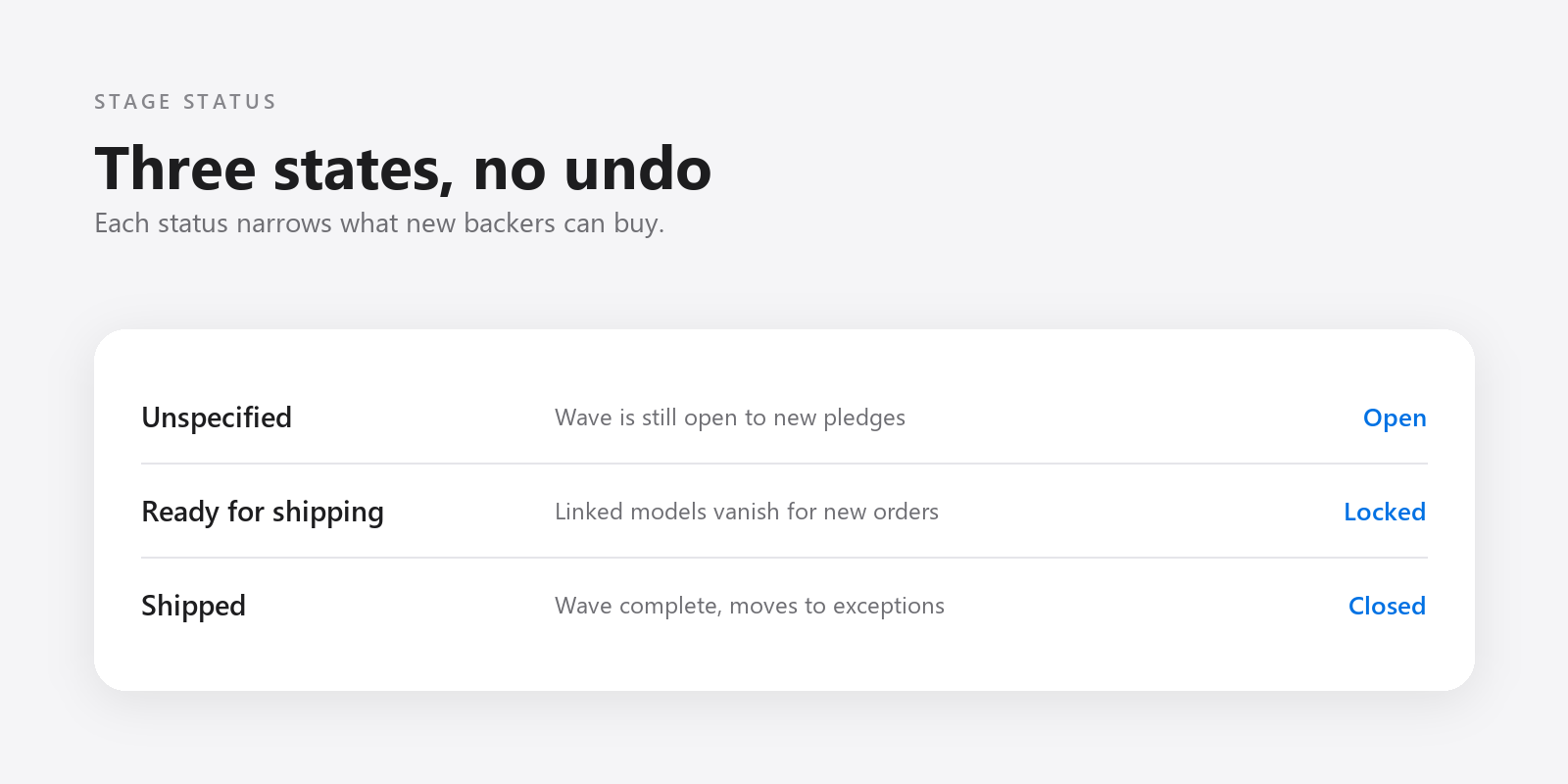
- Unspecified — backers can still place pledges.
- Ready for shipping — the wave is locked, and linked shipping models disappear for new pledges and unfinished orders.
- Shipped — the wave is complete.
A status change takes effect immediately and cannot be undone. That single sentence sets the operating order: goods in, counted, checked, and only then the status flip. Do it the other way and you own a locked wave with nothing to put in the boxes.
On proportions, 60–70% in the first wave with 30–40% held for the tail and exceptions is a safer cut than an even split. A first wave that's too small doesn't surface problems; one that's too large multiplies any problem across your whole backer base.
Late pledges are a second pipeline
When a campaign ends, the project keeps accepting orders through Late Pledges unless you turn it off. There is no funding goal and no end date, and the perk list can be edited — including raising prices as the ship date gets closer.
Two consequences follow, and both show up in the warehouse.
Your order queue no longer closes on its own. You have to decide whether late orders join the next wave or get a wave of their own. A late order that lands after the pick list is built will otherwise sit in a report nobody reads until a backer asks about it in month four.
Your inventory plan is wrong if it only covers campaign orders. Reserve stock for late pledges at the rate they're actually arriving, and add the 2–3% replacement buffer on top of that.
There is also a data-shape problem. Some late-pledge orders never generate a survey, because the backer already chose a perk and entered an address at checkout. Export them separately and check the address fields, or you'll find rows with an order number and no street.
What it costs, per parcel
Campaign budgets get built as one big number, which is why they're always wrong. Build it per parcel instead, then multiply.
| Cost line | Typical range (third-party industry data, not a quote) |
|---|---|
| Inbound receiving and put-away | $0.25–$0.60 per unit |
| Storage during the campaign window | $0.50–$1.50 per pallet per day |
| Pick, pack, and label | $1.50–$3.50 per order |
| Additional item per order | $0.25–$0.60 per unit |
| Packaging materials | $0.60–$2.50 per parcel |
| US domestic last mile | $6–$12 per parcel |
| International postal | $9–$22 per parcel |
| International commercial carrier | $18–$45 per parcel |
| Remote-area surcharge | +$3–$15 per parcel |
| Replacement stock reserve | 2–3% of order volume |
Three lines are routinely left out: remote-area surcharges, the premium on battery or otherwise restricted goods (often 20–40% over general cargo), and the replacement reserve. The first two come straight out of the margin you calculated with an average shipping rate.
Platform fees sit on top. Indiegogo takes 5%, and payment processing adds roughly 3% plus a small per-transaction fee — including on the shipping money backers paid. Successful campaigns are paid out within about 15 working days of closing; on a fixed-funding campaign that misses its goal, backers are refunded within about five.
Six questions to ask a fulfillment partner
A crowdfunding run is not a subscription fulfillment account. It's one large, ugly, time-boxed project, and it rewards a different set of questions.
- How many one-time bulk projects have you run? Give me two with the actual ship window.
- Which platform exports do you take, and do you accept late-pledge orders as a separate file?
- Can you release by wave, or do you push every order at once?
- What channels do you use for battery, magnet, or liquid products, and what's the premium?
- Which surcharges are in the quote — remote area, oversize, second attempt?
- What are your turnaround and liability terms for wrong-item, short-ship, and damage claims?
If the answer to the third question is "we just ship everything", the rest of the conversation is about how much of the file you'll rebuild by hand.
The short version
Indiegogo fulfillment is not hard because parcels are hard. It's hard because the platform gives you a very good set of locks and almost no forgiveness when you close one early. Price shipping from the final carton with a buffer, run the five lock steps in order, cut the run into waves of 60–70% and 30–40%, and treat late pledges as a live second queue rather than a rounding error.
If you're holding a wave plan you're not sure about, send us the order count, the number of tiers and the country split — we'll come back with a release schedule before we talk about pricing.
References (Neutral Third-Party Sources)
Facts and concepts in this article were verified against platform documentation and public sources. No competitor pages are cited.
- Indiegogo Help — Shipping: Setup Overview: how shipping is configured per perk and model, and how destination rates are applied. https://help.indiegogo.com/article/469-shipping
- Indiegogo Help — Shipping Stages (Multi-Wave Shipping): stage setup, product assignment, model linking, and the three statuses with the warning that a status change cannot be undone. https://help.indiegogo.com/article/627-shipping-stages-multi-wave-shipping
- Indiegogo Help — Changing order shipping stage: how orders move between waves and what the stage status does to order availability. https://help.indiegogo.com/article/618-changing-shipping-stage
- Indiegogo Help — How to Manage Access and Close Your Pledge Manager: access levels, shipping-only mode, and the soft-close versus hard-close distinction. https://help.indiegogo.com/article/479-closing-pledge-manager
- Indiegogo Help — How can I change shipping address in pledge manager?: addresses cannot be changed once an order is ready for shipping, shipped, or completed. https://help.indiegogo.com/article/578-how-can-i-change-shipping-address-in-pledge-manager
- U.S. Customs and Border Protection — De minimis shipments: the entry threshold that decides whether low-value parcels clear duty-free. https://www.cbp.gov/trade/programs-administration/entry-summary/de-minimis-shipments