
Multi-Channel Fulfillment: Sell Everywhere, Ship From One Place
Multi-channel fulfillment is one inventory decision disguised as a technology project. The enemy is not the software — it is two channels counting the same unit. Sell on Shopify, Amazon, Walmart and eBay at once, and the question that decides whether you cancel orders or keep your seller metrics clean is a single one: does every channel draw from one stock number, or does each hold its own?
This article is about that conflict — shared pool versus per-channel buckets, how overselling actually happens, and how to route an order once the platforms are connected.
Multichannel versus omnichannel is a stock question
The two words are used interchangeably, but they describe different machines. Multichannel means each channel runs its own inventory count and its own queue. Omnichannel means every channel reads the same number and writes back to it.
The distinction is not how many places you sell. It is whether those places are drawing from the same pool. A brand with five completely disconnected channels is still multichannel; a brand with two tightly synced channels is omnichannel. The split shows up clearest in stock.
One pool, or a bucket per channel
The multichannel default is to carve stock into per-channel buckets: 40 units for the website, 30 for Amazon, 30 for the store, each selling down its own pile independently.
It looks simple and fails for a predictable reason. Demand does not split evenly. The website bucket sells out while 20 units sit unsold in the Amazon bucket, and you lose a sale even though the product is physically in the building. Or worse — a channel oversells past its allocation because the count was not updated fast enough after a sale somewhere else.
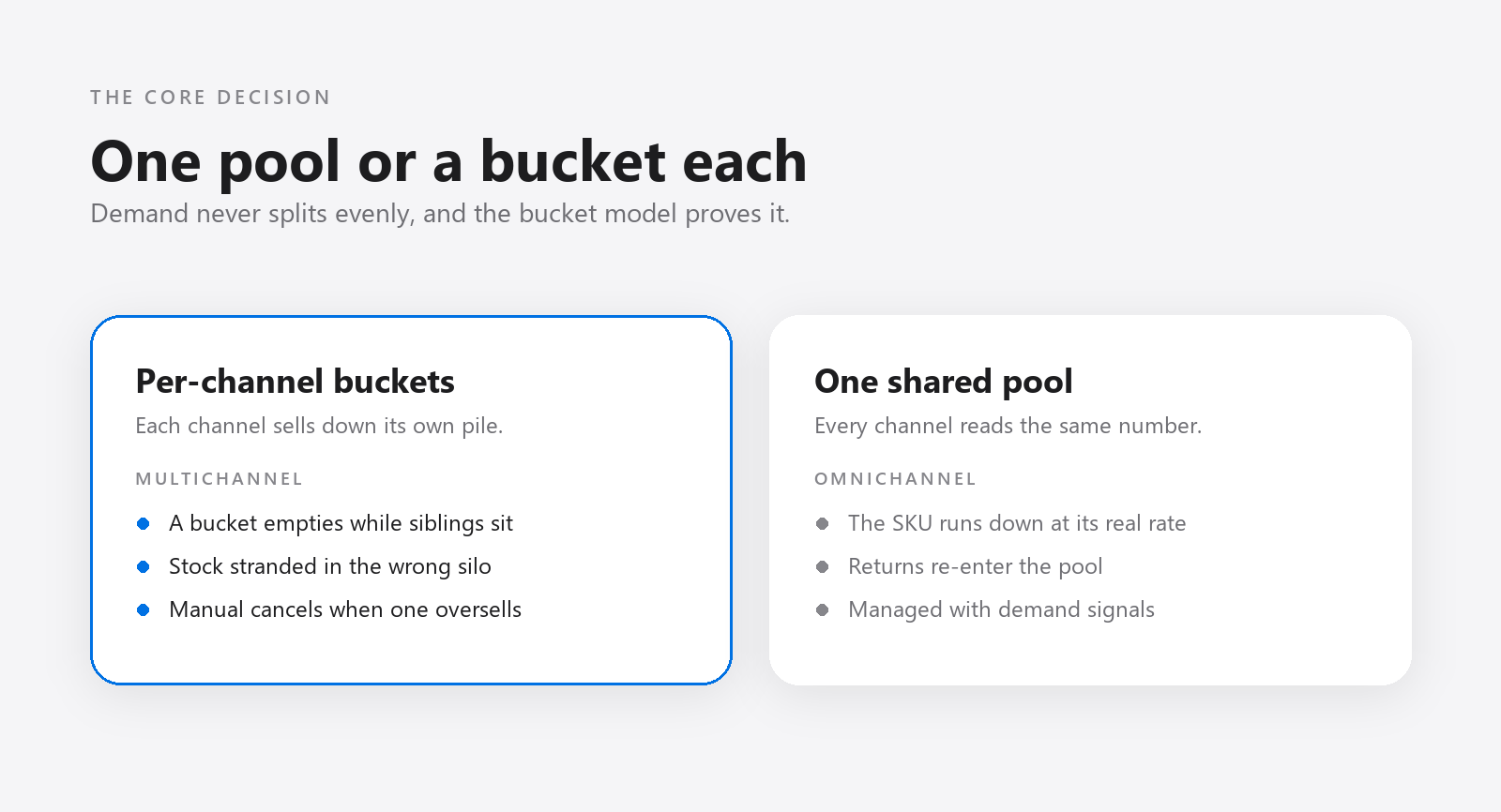
One shared pool sells everything at its real rate, and a unit on the shelf can go to a Shopify customer, an Amazon buyer or a wholesale purchase order without being pre-assigned. The trade is that nothing is reserved, so a surprise order on one channel can take stock another channel was counting on. You manage that with demand signals and receiving cadence, which is the cheaper problem.
| Per-channel buckets | One shared pool | |
|---|---|---|
| Inventory count | Per channel, reconciled by hand | One available-to-promise number |
| Oversell risk | Two channels sell the last unit | Updates as orders land |
| Stockout pattern | A bucket empties while siblings sit | The SKU runs down at its real rate |
| Returns | Back to the originating bucket | Graded, then into the pool |
| What breaks | Stranded stock, manual cancels | A surprise order takes stock |
The reserve question
Between the two extremes sits a lever worth knowing: the channel reserve, sometimes called a buffer or a ring-fence.
The idea is to hold back a quantity for one channel only — say 30 of 100 units reserved for Amazon — so a busy weekend on your own store cannot empty the pile a After Your Campaign is about to run on. When the unreserved 70 sell, the other channels read zero while Amazon still has its 30.
The reserve is a deliberate decision, not a default. Reserving stock for every channel is just the bucket model again with a nicer name. Reserve only the channel whose volume is unpredictable enough to justify it, and review the number against actual sales, not a hunch.
How overselling actually happens
Overselling — selling the same unit twice — is not a slow-sync bug. It is a race between two channels that both read "one available" in the same instant.
The fix is a distinction that most systems only draw fuzzily: available stock is what is physically on hand minus what is already committed to orders not yet shipped. Two channels sell the last unit when both see "available" before either has committed it. The moment one channel commits a unit, the other must see one fewer — and if that write-back is delayed by even a minute, the second channel sells into a hole.
The cheapest control is a threshold, not a technology. Set a stock floor per SKU and let a channel pause before the count reaches zero, so the listing stops selling before the shelf empties.
One system of record, many doorways
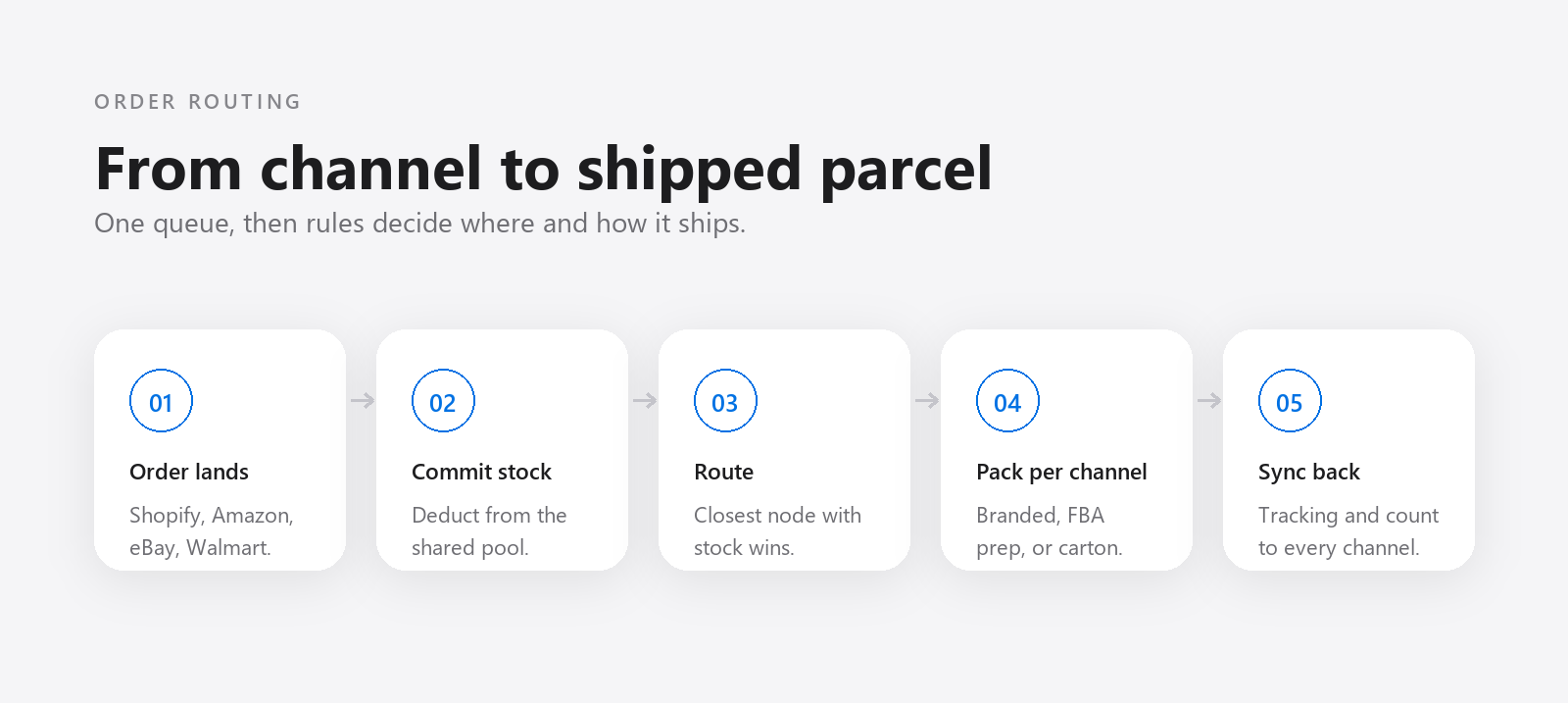
Connecting the platforms is the part people call "integration," and the useful definition is narrow: every channel reads from and writes back to one system of record — an order management system or a warehouse system — and nothing else keeps its own count.
The platforms keep running as they are. Shopify, Amazon Seller Central, eBay, Walmart, TikTok — each keeps its own dashboard and its own order format. What changes is that the stock number becomes centrally managed and pushed out, and every order, whatever its origin, lands in one queue.
The tell that you are not integrated is the Monday-morning export: someone pulling three files and pasting them together to figure out how much stock you have. When that job still exists, the channels are not connected regardless of what the dashboard says.
Route the order, don't just accept it
Once orders land in one queue, routing decides what happens next. The rules are simple to state and easy to get wrong.
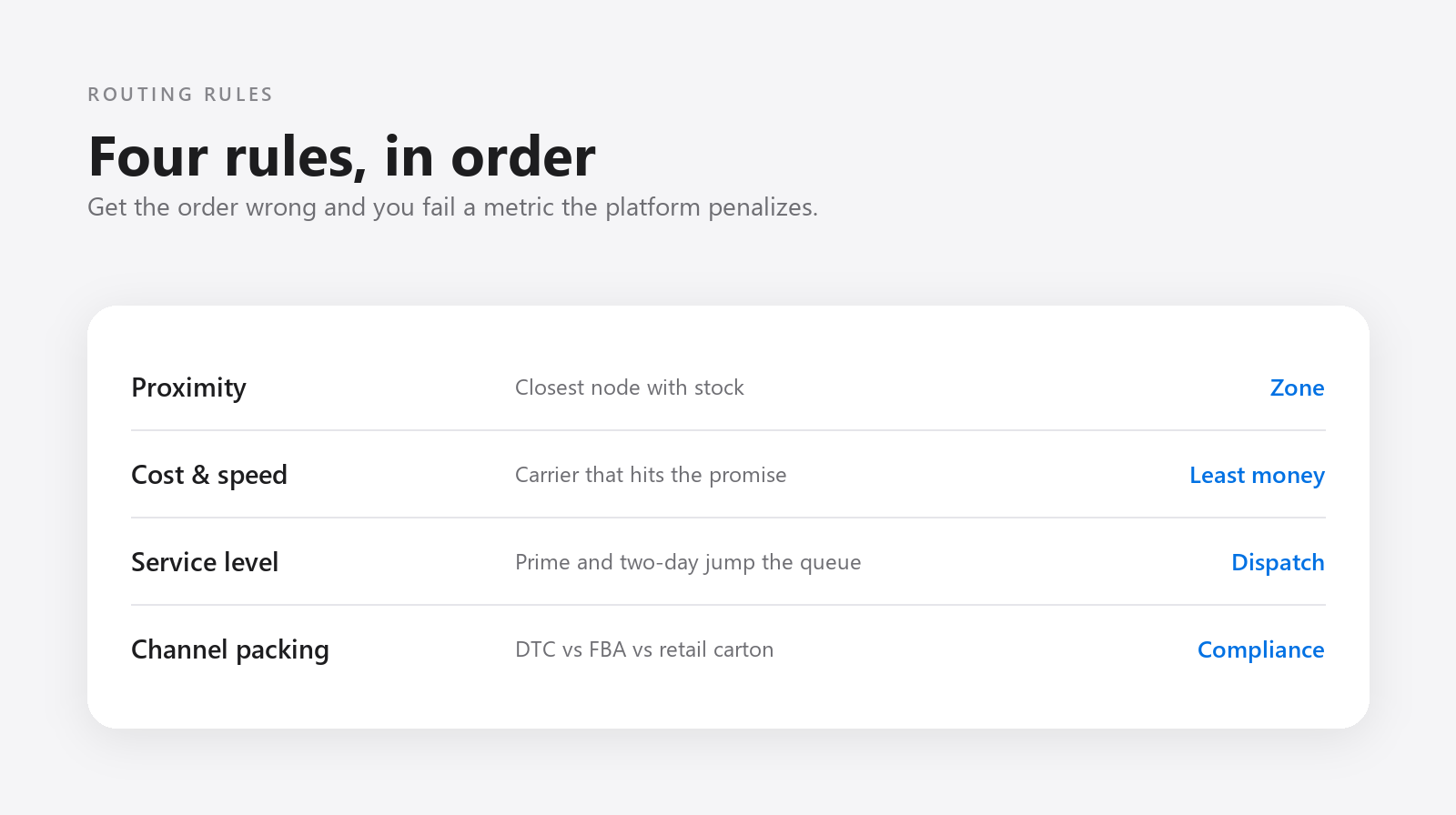
The base rule is proximity: ship from the node with stock closest to the customer. The second is cost and speed: pick the carrier and service that hit the promise for the least money. The third is the one most operations forget — service level. A Prime or two-day order has to jump the queue, because the marketplace measures dispatch time and cancellation rate, not just delivery. An order that ships late because it sat in a first-in-first-out line fails a metric the platform penalizes.
Pack it right for the channel. A DTC parcel gets a branded box and a tracking number; an FBA-bound unit gets compliant prep; a retail purchase order gets carton labels, a pallet built to the routing guide and an advance shipping notice. One team picks everything; the packing step splits them.
| Rule | What it decides | Why it matters |
|---|---|---|
| Proximity | Ship from the closest node with stock | Cuts zone and transit time |
| Cost and speed | Carrier and service per order | Hits the promise for the least money |
| Service level | Prime and two-day jump the queue | Dispatch metrics, not just delivery |
| Channel packing | DTC vs FBA prep vs retail carton | Wrong pack-out means chargebacks or late parcels |
Promises decide the nodes
Each channel sells a different promise, and the promise is what forces the warehouse question.
A two-day promise across the whole country requires inventory within a one-day ground radius of most of the demand — a node-count decision, not a carrier decision. A five-day promise can run from one warehouse. Same-day cannot run from a warehouse at all.
The trap is letting each marketplace dictate its own promise and then handing operations a list of conflicting deadlines. Run it the other way: decide what promise the network can actually keep, and set each channel to match. Under the FTC's merchandise rule, a promise you cannot keep is a legal obligation, not a marketing line.
The short version
Multi-channel fulfillment is not a software purchase. It is a decision about whether one stock number serves every channel, followed by a routing rule for what happens after the order lands. Share the pool, reserve only what you can defend, write the routing rules down, and match each channel's promise to the network you actually have.
If you are about to add a channel or a second node, send us your channel list, your order split and the promise each channel sells — we will map the pool and the routing before you switch anything on.
References (Neutral Third-Party Sources)
- GS1 — Global Trade Item Number (GTIN): the identifier that gives each sellable variant one machine-readable record, the basis for one stock count across channels. https://www.gs1.org/standards/id-keys/gtin
- GS1 — Global Location Number (GLN): identifying the physical locations and functions an order router can direct an order toward. https://www.gs1.org/standards/id-keys/gln
- Amazon Selling Partner API — searchOrders: the order states a marketplace uses across seller systems, from pending to shipped. https://developer-docs.amazon.com/sp-api/reference/searchorders
- Shopify Help Center — Fulfilling orders: what the fulfillment action covers, from picking and packing to handing parcels to a carrier. https://help.shopify.com/en/manual/fulfillment/fulfilling-orders
- Federal Trade Commission — Mail, Internet, or Telephone Order Merchandise Rule: ship within the stated time or 30 days, and obtain consent or refund if you cannot. https://www.ftc.gov/business-guidance/resources/business-guide-ftcs-mail-internet-or-telephone-order-merchandise-rule