
What Does Fulfillment Mean? Order Statuses Explained
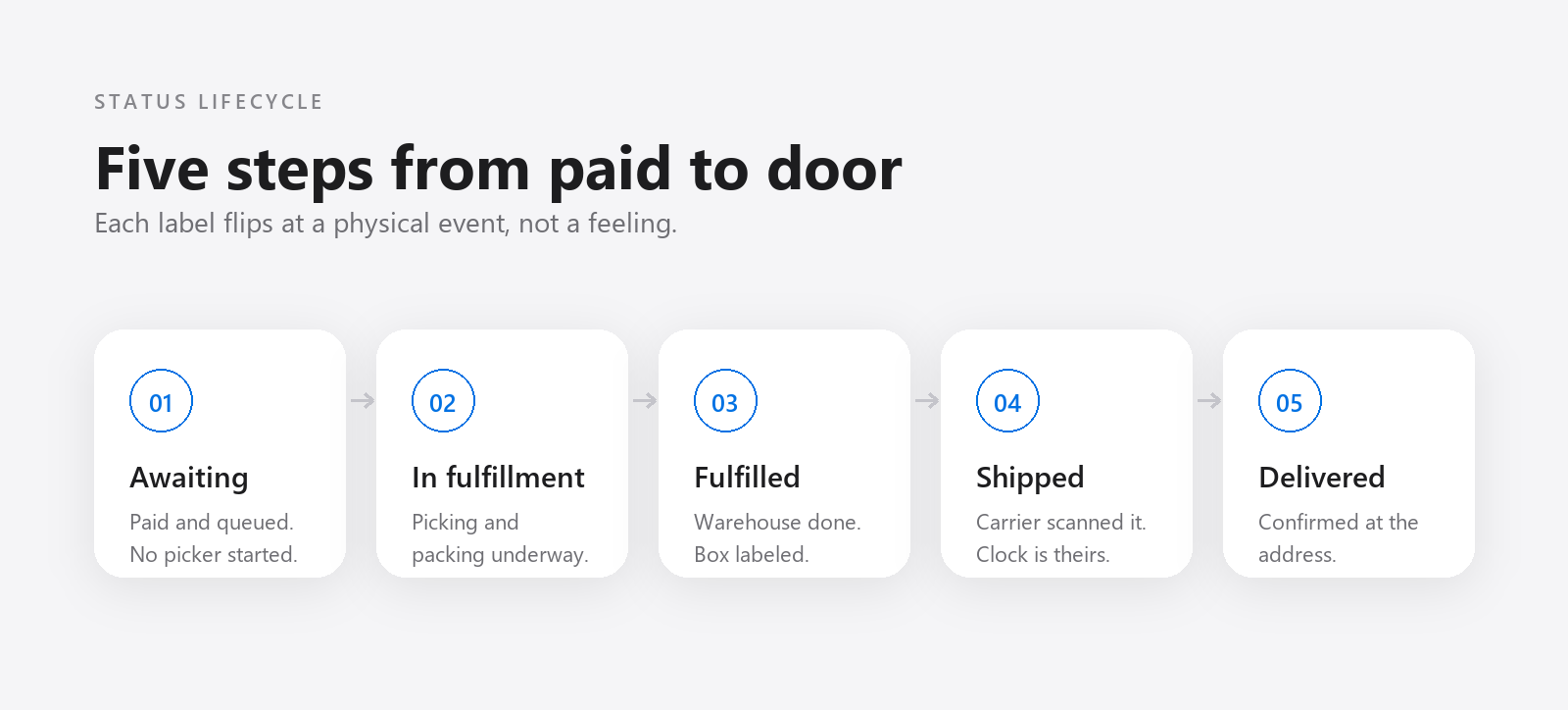
Fulfillment is everything that happens between a customer paying and the parcel landing on their doorstep — and an order status is just that journey cut into labeled segments. When a store shows "awaiting fulfillment," "in fulfillment," or "fulfilled," it is telling you which physical step the warehouse is on, not how the package feels about its day.
Most shoppers never need to know the difference, until an order sits somewhere and they don't know whether to wait or complain. The confusion is not your fault: every platform labels the same seven steps with slightly different words, and two of the most common labels, "awaiting" and "pending," get used interchangeably by the very companies that invented them.
Here is what each status actually means, how long it should last, and the three places an order gets stuck without anyone telling you.
Fulfillment is two jobs, only one of which is moving boxes
When an ecommerce store "fulfills" an order, it does three kinds of work at once. The physical work is the obvious part: store inventory, pick the right items, pack them, and hand the parcel to a carrier. The data work is the part nobody sees: writing statuses and tracking numbers back to the customer and the sales channel, and deducting inventory so the same SKU doesn't oversell while the box is still on the packing bench. The third piece is routing — deciding which warehouse or store actually ships this order, a decision made the moment payment clears, not on the pick floor.
A parcel only moves as fast as its slowest handoff. "Handoff" is the industry word for the moment order data passes from one system to the next — platform to warehouse, warehouse to carrier — and it is where statuses silently stop updating.
Why every store words these statuses differently
There is no single government-enforced vocabulary for order statuses. A platform that uses "awaiting fulfillment" and one that uses "pending fulfillment" are usually describing the same moment: paid and validated, no location has started work yet. The Chinese marketplace order systems I've reviewed for this article carry eight front-facing states — unpaid, to-ship, to-receive, to-review, complete, cancelled, refund-only, and return-refund — and fold the last three into a separate after-sales panel. An American DTC store might show you only three of those.
The practical rule: don't argue about the label, ask whether the goods have left the dock. That question always has an answer.
The seven statuses, at a glance
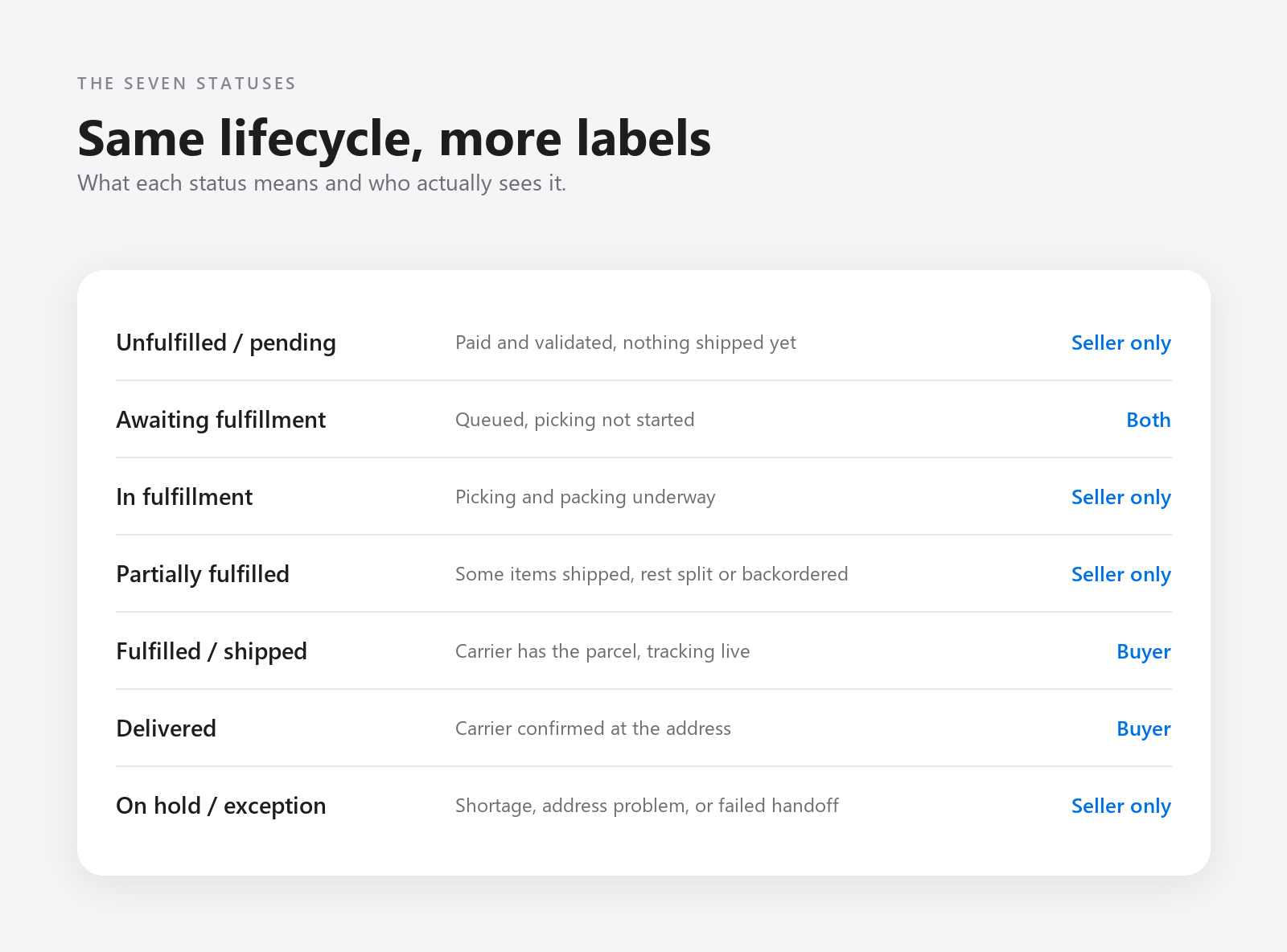
The exact names vary, but seven stages cover nearly every order lifecycle.
| Status | What it means | Who sees it |
|---|---|---|
| Unfulfilled / pending | Paid and validated, nothing shipped yet | Seller's system |
| Awaiting fulfillment | Queued; a location has it, picking hasn't started | Seller and sometimes buyer |
| In fulfillment / processing | Picking and packing are underway | Seller's system |
| Partially fulfilled | Some items shipped, the rest split or backordered | Seller's system |
| Fulfilled / shipped | Carrier has the parcel, tracking is live | Buyer |
| Delivered | Carrier confirmed it at the address | Buyer |
| On hold / exception | Shortage, address problem, or a failed handoff | Seller's system |
Awaiting fulfillment vs pending: usually the same thing
These two labels trip up more support tickets than any others. "Awaiting fulfillment" and "pending fulfillment" generally mean the same stage — the order is confirmed and queued, but no picker has started on it. Some stores reserve "pending" for payment still being processed before shipment.
If you want the full treatment on that one status alone, we wrote separate guides on what awaiting fulfillment means and why an order sits in pending. Here it's enough to know: it's the earliest healthy state, and it should not last long.
In fulfillment is the healthy middle state
"In fulfillment" means the order cleared payment, was routed to a location, and that location has started work. The parcel is somewhere between release and carrier handoff: in a pick queue, on a packing bench, or in staging waiting for its label.
Staging is the holding area where packed, labeled boxes wait for the carrier's pickup. A well-run warehouse moves an order from release to carrier handoff in hours, not days — the US overseas warehouses I looked at advertise a 24-hour outbound window and a "same-day cutoff" policy, meaning orders placed before the daily cutoff ship that evening, and everything after rolls to the next batch. If your order has been "in fulfillment" for three business days, something is wrong.
Fulfilled and shipped flip at the same instant
On the seller's side, "fulfilled" and "shipped" change at the same moment: the carrier handoff. The difference is the scan. The carrier's first scan — the acceptance scan, or "A-scan" in warehouse shorthand — is what turns a labeled box into a shipment with a tracking trail. Until that scan happens, the parcel is technically still yours even though it's out of the warehouse.
The fuller version of that distinction is in does fulfilled mean shipped. The short version for this page: fulfilled means the warehouse is done; shipped means the carrier has the box and the clock is now the carrier's.
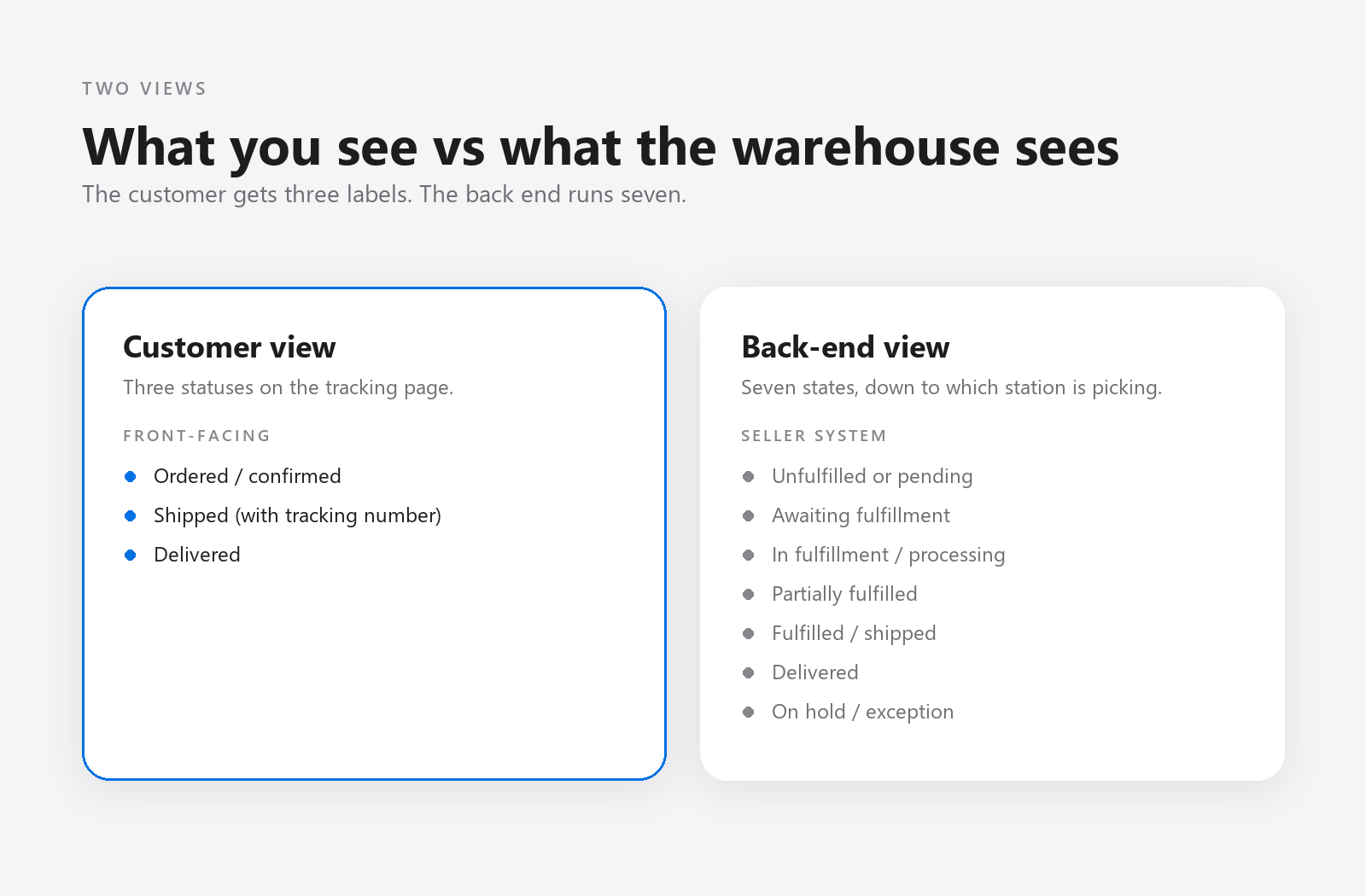
The statuses customers never see
Your order can spend time in states the tracking page hides. "On hold" or "exception" usually means one of three things: an inventory shortage (the SKU oversold or the last unit failed a quality check), an address problem (invalid ZIP, missing apartment number), or a handoff that failed quietly between two systems. "Partially fulfilled" means one line item shipped and another is split to a different location or backordered.
The inventory case is the most common. Ecommerce order systems split a single cart into multiple parcels for exactly this reason — one SKU lives in warehouse A, another in warehouse B, so the order becomes two shipments with two tracking numbers. When that happens, one half can sit in "awaiting fulfillment" while the other is already at your door.
How long each status should last
As a rough field guide, not a promise:
- Unfulfilled / awaiting: hours, up to one business day.
- In fulfillment: hours, up to one business day.
- Fulfilled / shipped: from the A-scan until delivery, which in the US is often 2–5 business days.
- On hold: this is the only status with no normal duration. Treat anything past your store's stated ship-by date as stalled.
Two signals tell you an order is stalled before anyone admits it: the tracking number was generated but never received its acceptance scan (the label was printed, the box never left), or the status sat unchanged across a whole business day when the store's own policy promised same-day dispatch.
What to do when a status gets stuck
Run the check in this order, because each one eliminates the next:
- Check inventory. If the SKU is now out of stock on the storefront, the order is probably sitting in a shortage exception waiting for a human to split or refund it.
- Check the cutoff. If the order landed after the daily cutoff — or right before a weekend — it may simply be queued for the next batch, and there is nothing to fix.
- Check the handoff. If there is a tracking number but no acceptance scan, the parcel likely never made it onto the carrier's truck, and the fix is a reship, not more waiting.
The reason step one comes first: warehouses build error-proofing around exactly this. Good operations scan every pick with a handheld, weigh every sealed box against its expected weight to catch a wrong or missing item, and match the shipping label to the order one last time at the dock. Those checks are what keep "fulfilled" from meaning "we shipped you the wrong thing."
The short version
Fulfillment is the whole stretch from paid to delivered, and order statuses are just mile markers on that road. Awaiting and pending mean "queued," in fulfillment means "being worked," fulfilled and shipped mean "the carrier has it," and delivered is the only status that means the customer actually has it in hand. When one of those markers stops moving, the problem is almost always inventory, a cutoff, or a handoff — and checking them in that order usually finds it.
If you're an ecommerce brand and your own statuses are confusing your customers into support tickets, the fix is usually cleaner handoff data, not more statuses. Our order fulfillment process guide walks through where those handoffs live.
References (Neutral Third-Party Sources)
Facts and concepts in this article were verified against public references. No fulfillment-provider pages are cited.
- Wikipedia — Order fulfillment: the working definition of fulfillment and its physical, data, and routing components. https://en.wikipedia.org/wiki/Order_fulfillment
- Wikipedia — Order processing: the sequential pick, sort, pack, label, and consolidate steps behind order statuses. https://en.wikipedia.org/wiki/Order_processing
- Wikipedia — Order picking: picking strategies (piece, zone, batch, wave) that determine how fast an order moves through the "in fulfillment" stage. https://en.wikipedia.org/wiki/Order_picking
- U.S. Bureau of Labor Statistics — Occupational Employment and Wage Statistics (OEWS) Tables: wage context for the warehouse labor that sits behind fulfillment throughput. https://www.bls.gov/oes/current/oes_nat.htm
- USPS — Tracking: the carrier-side status vocabulary (accepted, in transit, out for delivery, delivered) that maps to the shipped/delivered distinction. https://www.usps.com/manage/track.htm